
Clients, matters, tasks, time entries and payments in one place. If your firm uses Microsoft 365 or Google Workspace, your calendar, email and cloud documents are on the same screen too. And your clients see the status of their matters and their account in their own portal.
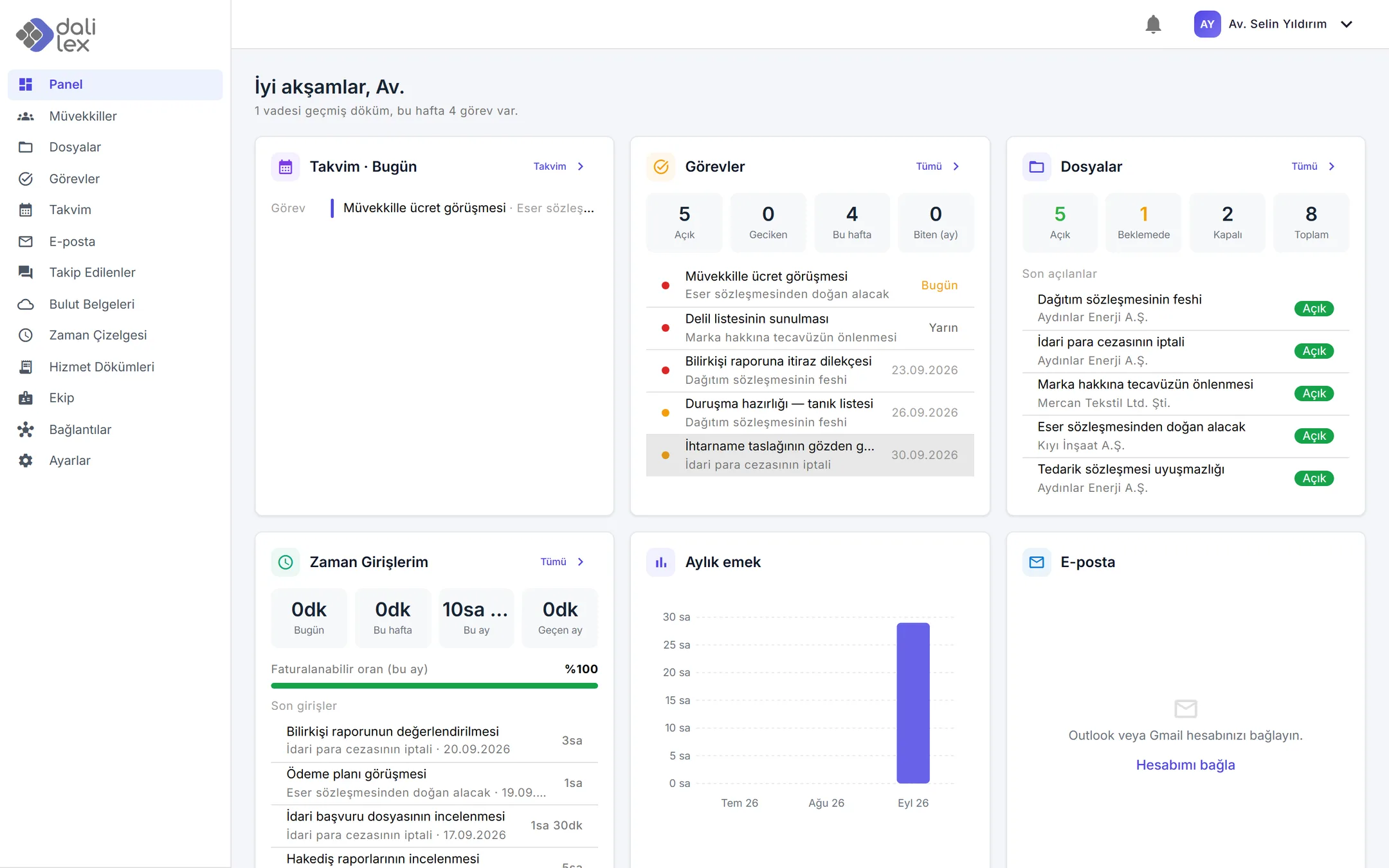
From opening a matter to collecting payment, the whole chain lives in one place. Nothing has to be entered twice.
Individual and organisation clients, matters, case numbers, courts and the matter team in a single record. It is always clear which lawyer is responsible for which matter.
Tasks for hearing preparation, filings and deadlines; upcoming and overdue work stands out on the dashboard. The assigned lawyer is notified by email.
Time entries per matter in six-minute units. Hourly rates, fixed fees and prepaid retainers work side by side, and your billable ratio is on the dashboard.
Turn time entries into a statement in one click. PDF with your own logo and letterhead, line items grouped by matter, payments and outstanding balances.
Owner, admin, lawyer and staff roles. Lawyers only see the matters they are on; the financial side stays with admins.
File an email or a cloud document to its matter. The history of a matter lives where the whole team can reach it, not in one person's inbox.
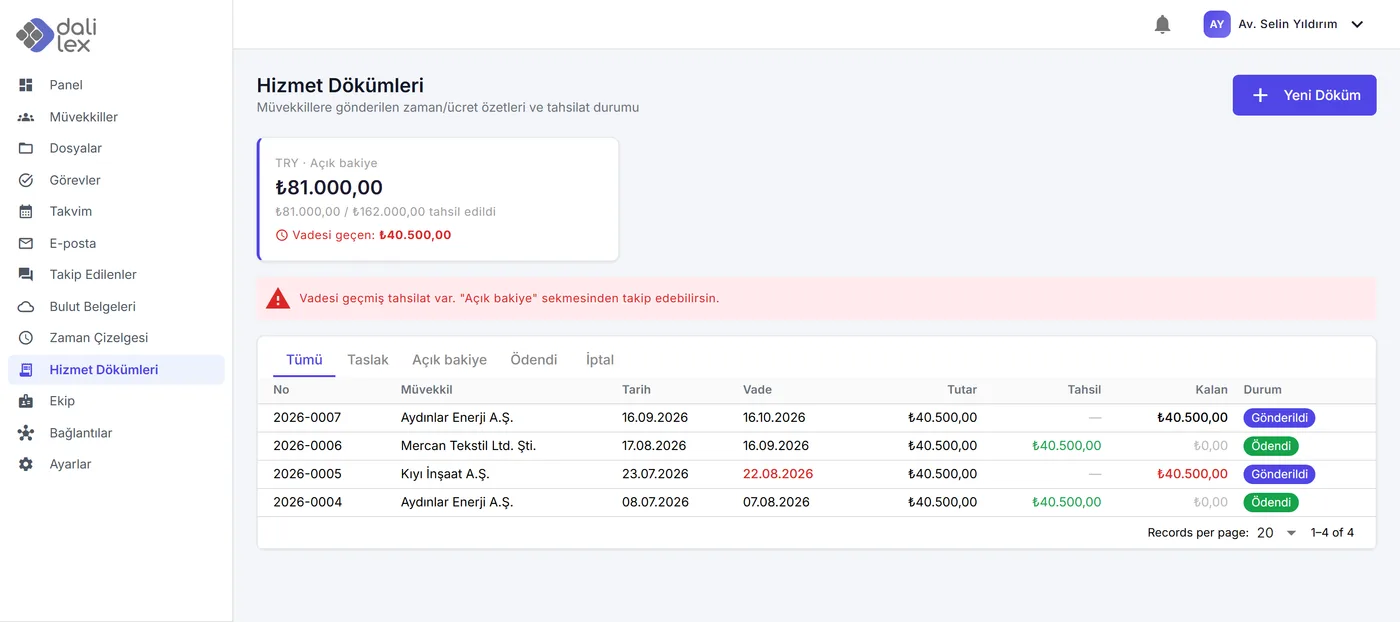
Statements are built from time entries and sent to the client as a PDF. As payments are recorded, the outstanding balance goes down on its own. When a statement is overdue, admins get a reminder.
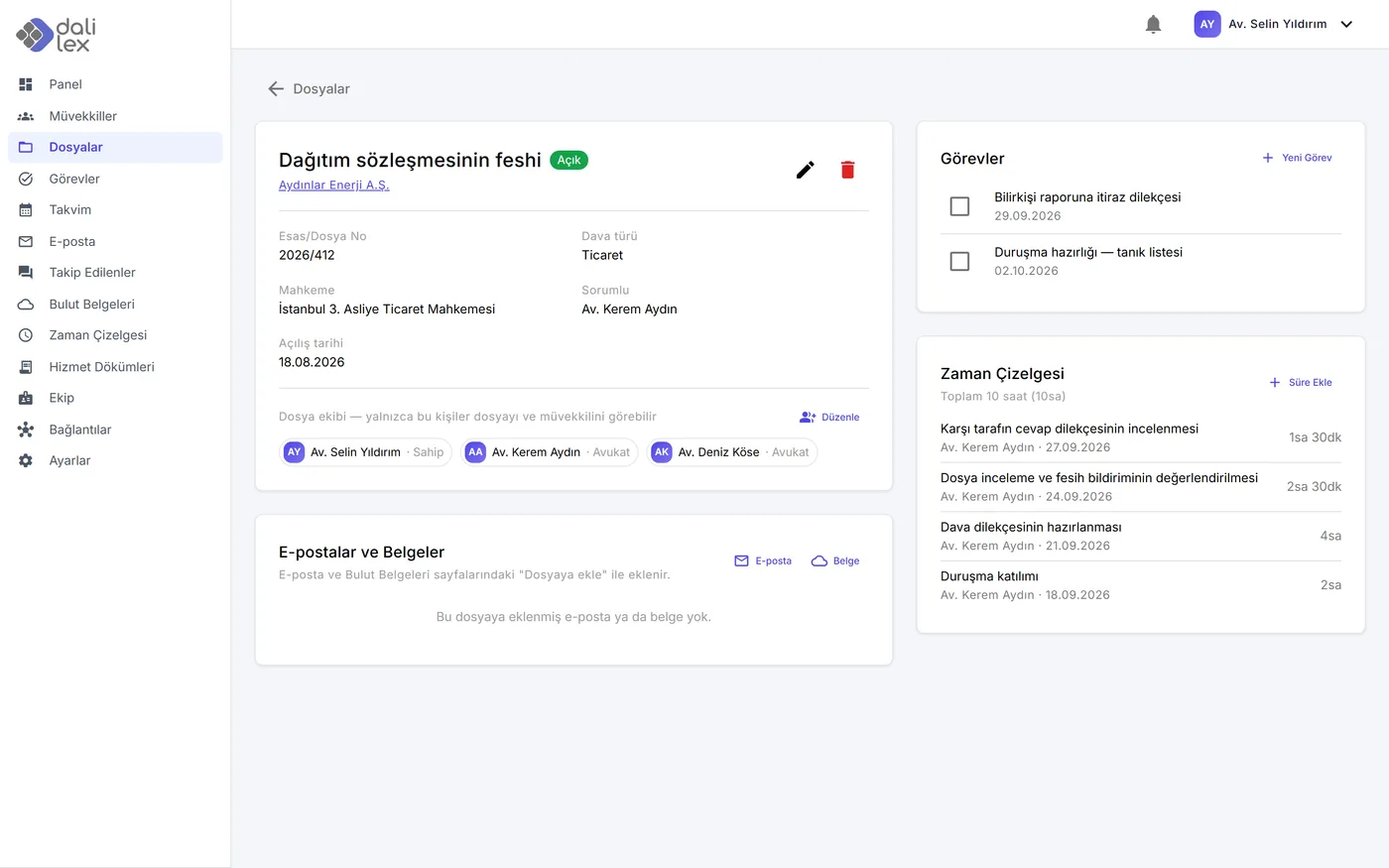
Parties, responsible lawyer, team, tasks, time entries and the emails and documents filed to the matter, all on one screen. A lawyer taking over a matter sees where things stand at a glance.
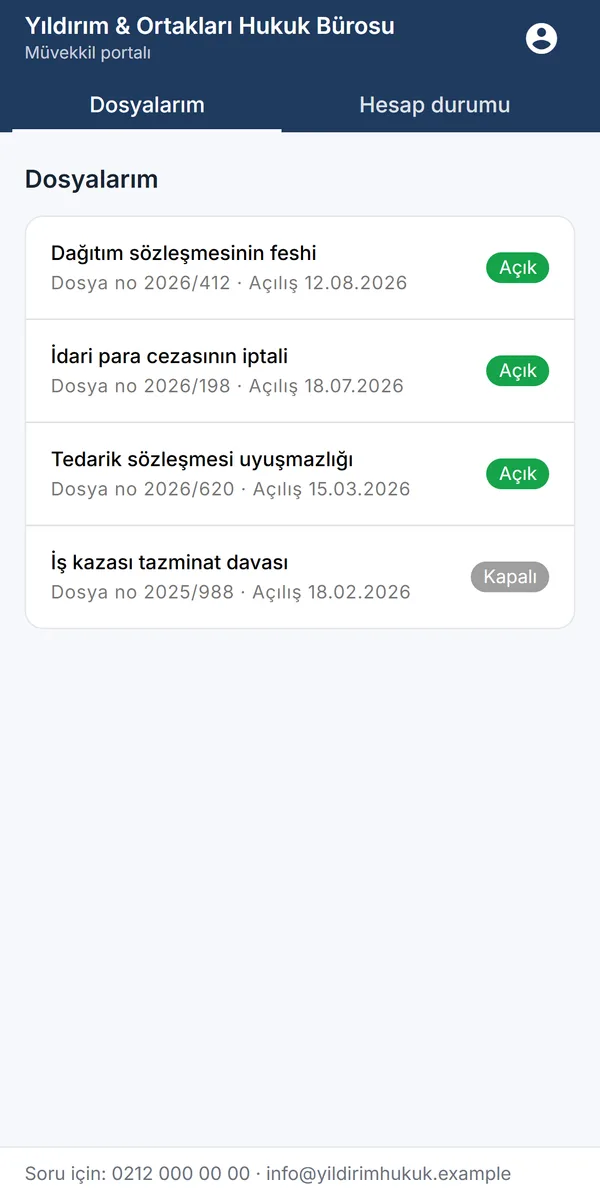
Clients sign in with their own account and see only their own matters and their own account. The portal header carries your firm's name and colour.
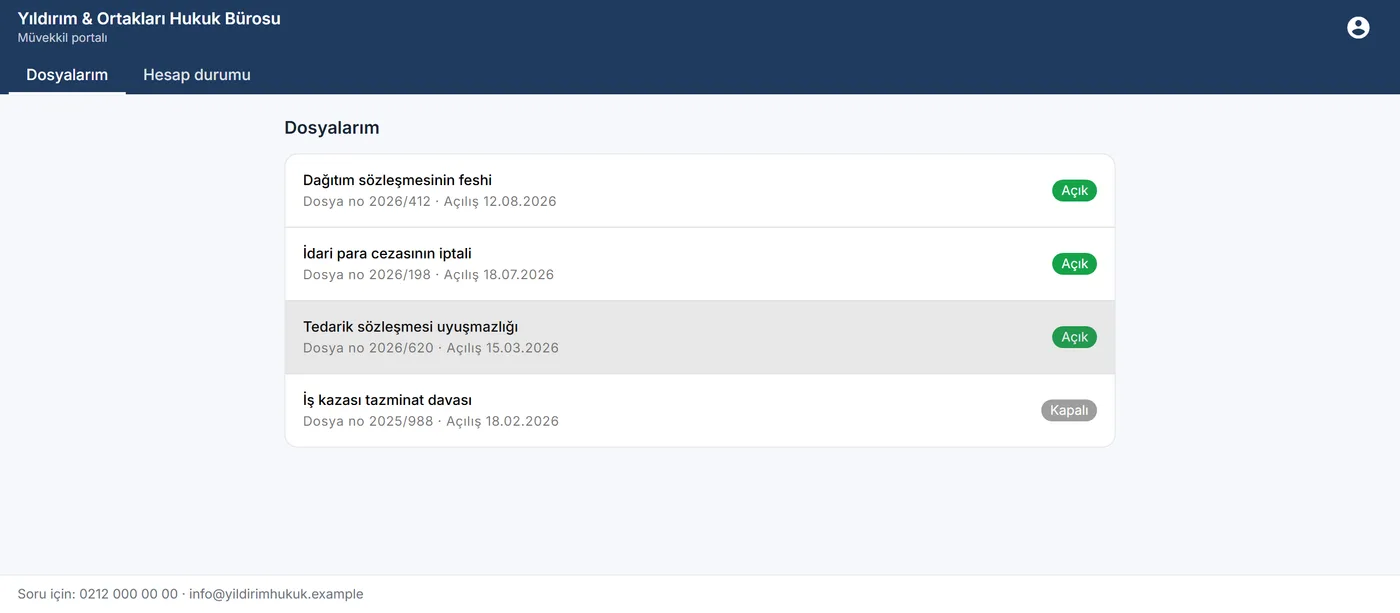
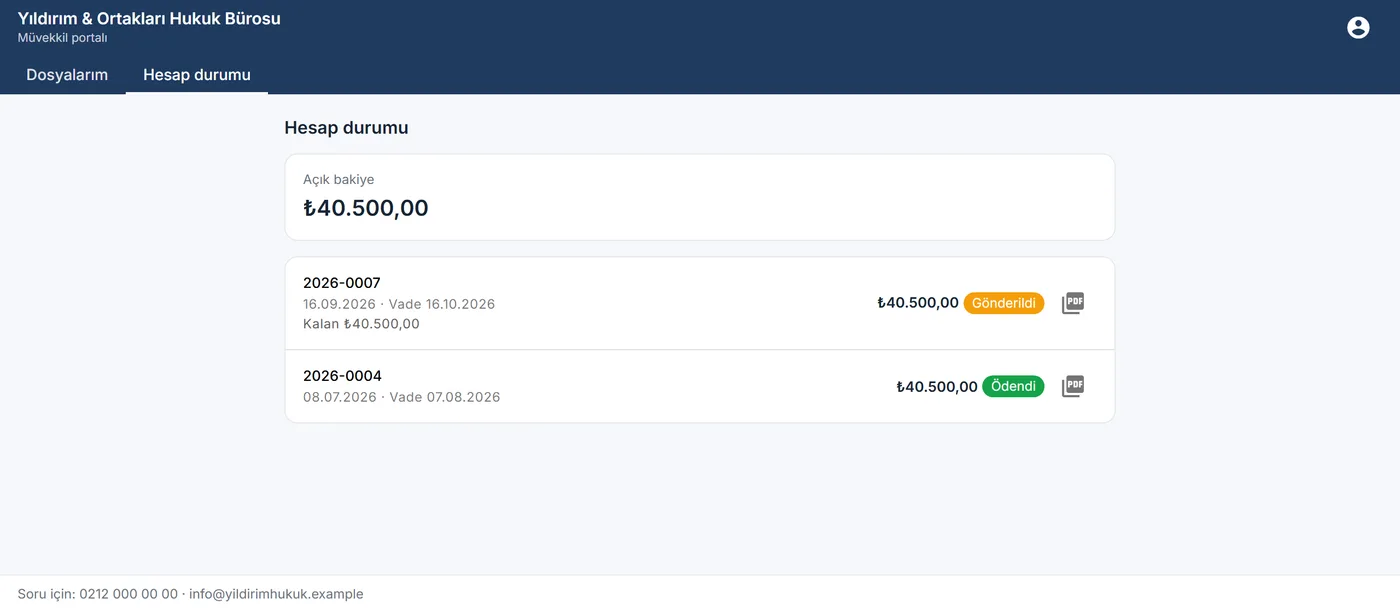
You grant access and you revoke it. You never send a password: the client gets an invitation link and sets their own.
Dalilex runs in the browser and can also be installed on your phone as an app. You do not need to be at your desk to record time or check a matter.
Nothing to download: choose "Add to Home Screen" in your browser.
If your firm uses these accounts, you sign in to Dalilex with them and see the calendar, email and documents you use every day without leaving Dalilex. Each user connects their own account and can disconnect it at any time.

| Access | What it is used for |
|---|---|
| Name, email address and profile | So you can sign in with your account and we can match you to your user in your firm. |
Calendar read-only |
To show your hearings and meetings next to your Dalilex tasks in one calendar. |
Email read-only |
To show your inbox inside Dalilex and let you file a thread to the right matter. |
Cloud documents read-only |
To view and download your OneDrive, SharePoint or Google Drive files and link a document to a matter. |
When an email thread filed to a matter grows to dozens of messages, Dalilex produces a summary and the key points. A summary is only created when you ask for one; nothing runs in the background on its own.
The other side attributes the late delivery to a disruption in raw material supply and asks for the penalty to be reduced. The client says the delay exceeded two months and notice was not given in time.
key pointsPriced per user per month. Whichever plan you are on, all of your data is yours and can be exported on every plan.
We quote prices in your currency. Setup and training depend on the size of your firm and are agreed in the first call. Switching plans takes one step, with no data migration.
Isolation, permissions and data export are the same on every plan. They are about security, so they are not tied to price.
Each firm's data is kept separate. A user of one firm can never see another firm's clients, matters or correspondence.
Portal access is limited to the client's own records and never carries the firm's internal information. The firm grants access and revokes it.
Microsoft and Google connection tokens are stored encrypted. Every request is made with the signed-in user's own account.
Email content is shown in an isolated frame where scripts cannot run. Remote images, which can carry tracking pixels, load only when you allow them.
The firm owner approves who joins. You can disconnect your accounts at any time and ask for your account's data to be deleted.
Your data is not used for advertising, not sold to third parties and not used to train AI models. If you decide to leave, you take your data with you.
Dalilex is cloud-based practice management software for law firms. Clients, matters, tasks and deadlines, time entries, statements and payments are kept in one place. It works with Microsoft 365 and Google Workspace and gives clients their own portal. It is developed by Dali Technology in Istanbul.
Dalilex is priced per user per month, in three plans: Essentials, Integrated and Enterprise. We quote prices in your currency; request a demo and we will send you pricing. Setup and training are agreed in the first call, depending on the size of your firm.
Yes. On every plan you sign in with your Microsoft or Google account. On the Integrated and Enterprise plans your calendar, email and cloud documents (OneDrive, SharePoint, Google Drive) appear inside Dalilex, and emails and documents can be filed to a matter. Access is read-only: Dalilex never sends email on your behalf or changes your calendar or documents.
Data is stored on servers in Türkiye. Each firm's data is kept separate from every other firm's. Your data is not used for advertising, not sold to third parties and not used to train AI models. A firm that leaves can export all of its data.
A screen where clients sign in with their own account and see only their own matters, the statements sent to them and their outstanding balance. Internal notes, fee calculations and draft statements are never shown. The firm grants and revokes access. It is included in the Enterprise plan.
AI summarises long email threads filed to a matter. A summary is only created when a user asks for one, and only the text of that thread is sent. The provider is Anthropic (Claude); the content sent is not used to train models. AI can be switched off entirely in settings. It is included in the Enterprise plan.
Accounts are opened on request. When you fill in the demo form, we call you to arrange a call of about half an hour. We set up your account, your team and the Microsoft 365 / Google Workspace connection. Nothing needs to be installed on your computers.
Yes. Dalilex runs in the browser and can be installed on an iPhone or Android phone with "Add to Home Screen". You do not need a computer to record time or check a matter.
Fill in the form and we will call you to find a suitable time. The demo takes about half an hour and is built around how your firm works.